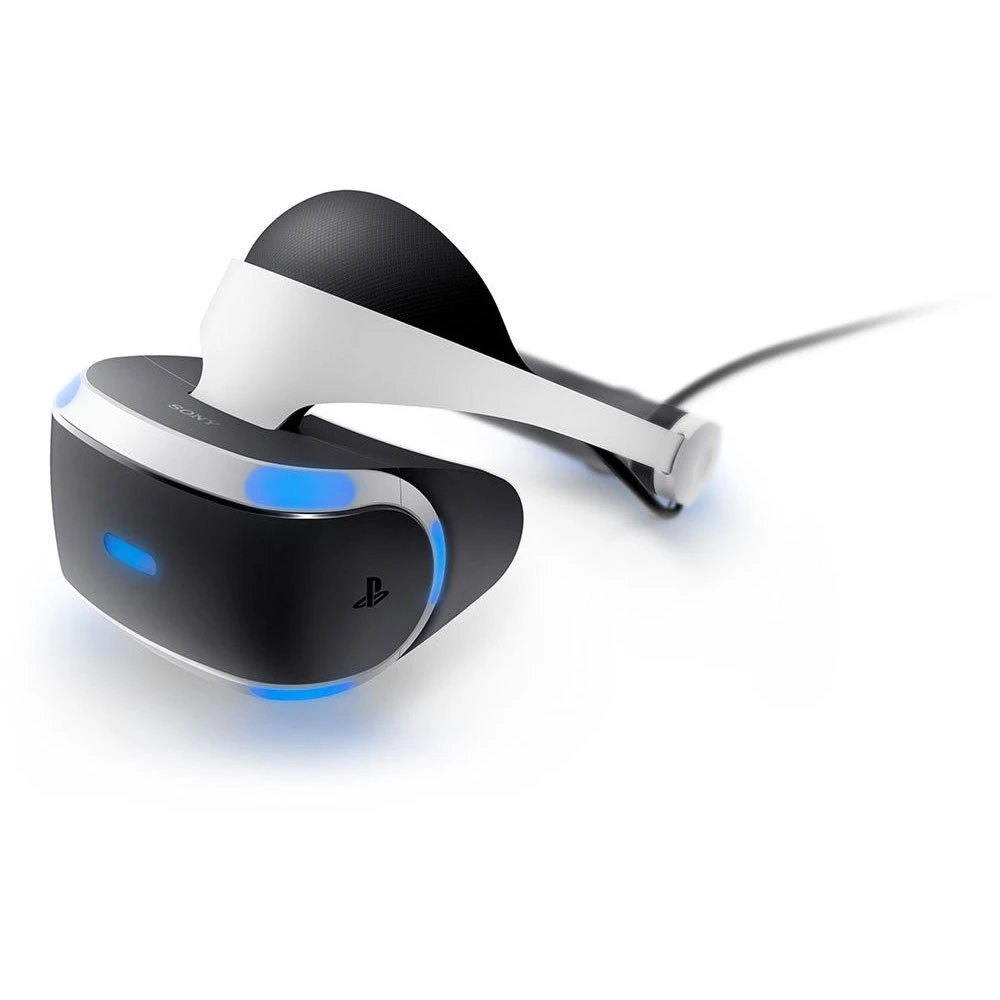
PlayStation VR (PSVR1) is still a capable and fun virtual reality headset, but as the hardware ages, users can encounter setup issues, tracking problems, display errors, or audio glitches. This guide covers the most common PSVR1 problems and provides clear, step‑by‑step solutions to get you back into VR.
Before You Start: Quick Checklist
Before diving into specific fixes, check the basics:
- ✅ PS4 or PS5 system software is up to date
- ✅ PSVR Processor Unit is powered on
- ✅ All cables are firmly connected
- ✅ Camera lens is clean
- ✅ Play area is well‑lit (but not overly bright)
Many issues are caused by loose cables or camera placement.
PSVR Headset Not Turning On
Symptoms
- No lights on the headset
- Black screen
- Processor Unit light off
Fixes
- Confirm the Processor Unit power cable is plugged in
- Check the HDMI IN/OUT connections
- Try a different power outlet
- Power cycle:
- Turn off PS4/PS5
- Unplug PSVR for 30 seconds
- Reconnect and restart
If the Processor Unit light stays red, reseat all cables.
Black Screen in Headset
Common Causes
- Incorrect HDMI order
- HDCP handshake issues
- Wrong TV input
Fixes
- Make sure HDMI cables are connected:
- Console → Processor Unit → TV
- Disable HDCP (Settings → System → HDCP)
- Turn on the TV before starting the console
- Try a different HDMI cable
Tracking Issues or Drifting
Symptoms
- Headset jumps or drifts
- Controllers lose position
- VR view shakes
Fixes
- Place PlayStation Camera at eye level, 5–7 feet away
- Remove reflective surfaces (mirrors, windows)
- Reduce background lighting behind you
- Recalibrate:
- Settings → Devices → PlayStation VR → Adjust Tracking Lights
✅ Wear darker clothing for better contrast.
Move Controllers Not Tracking Properly
Fixes
- Fully charge controllers
- Reset controllers using the rear pinhole
- Pair again via USB cable
- Recalibrate in VR settings
- Avoid bright lights or sunlight
💡 Different controller colors may track better depending on room lighting.
Image Blurry or Out of Focus
Causes
- Headset not positioned correctly
- Dirty lenses
- IPD misalignment
Fixes
- Adjust headset:
- Tighten headband
- Move visor closer to eyes
- Clean lenses with a microfiber cloth
- Set IPD:
- Settings → Devices → PlayStation VR → Measure Eye Distance
Audio Issues (No Sound or Mic Not Working)
Fixes
- Ensure headphones are plugged into the headset
- Check audio output:
- Settings → Sound → Audio Output
- Restart the console
- Try different headphones
- Check mute settings on the inline remote
PSVR Camera Not Detected
Fixes
- Unplug and reconnect the camera
- Try a different USB port
- Restart the console
- Update system software
⚠️ PS5 users must use the official PS Camera Adapter.
Games Not Launching in VR Mode
Fixes
- Confirm the game supports PSVR
- Update the game
- Turn on PSVR before launching the game
- Restart the console
- Reinstall the game if needed
Frequent Disconnects or Flickering Screen
Possible Causes
- Faulty HDMI cable
- Overheating Processor Unit
- Loose connections
Fixes
- Replace HDMI cables
- Ensure good ventilation
- Keep Processor Unit on a hard, open surface
- Avoid cable tension
When to Consider Hardware Failure
If you still experience issues after troubleshooting, the problem may be hardware‑related.
Signs of Hardware Failure
- Persistent black screen
- Flickering despite cable replacement
- Tracking lights not illuminating
- Processor Unit overheating
At this stage, repair or replacement may be the only solution.
Maintenance Tips to Prevent Issues
- Store headset in a dust‑free area
- Avoid direct sunlight on lenses
- Coil cables loosely
- Clean camera and lenses regularly
Quick Troubleshooting Table
| Issue | Most Likely Fix |
|---|---|
| Headset won’t turn on | Reseat cables, power cycle |
| Black screen | Check HDMI order, disable HDCP |
| Tracking drift | Adjust camera, reduce lighting |
| Blurry image | Adjust fit, set IPD |
| No audio | Check headset connection |
| Camera not detected | Reconnect, update software |
Final Thoughts
PSVR1 may be older hardware, but with proper setup and maintenance, it can still deliver great VR experiences. Most problems come down to camera positioning, lighting, or cable connections, and are fixable in minutes.